
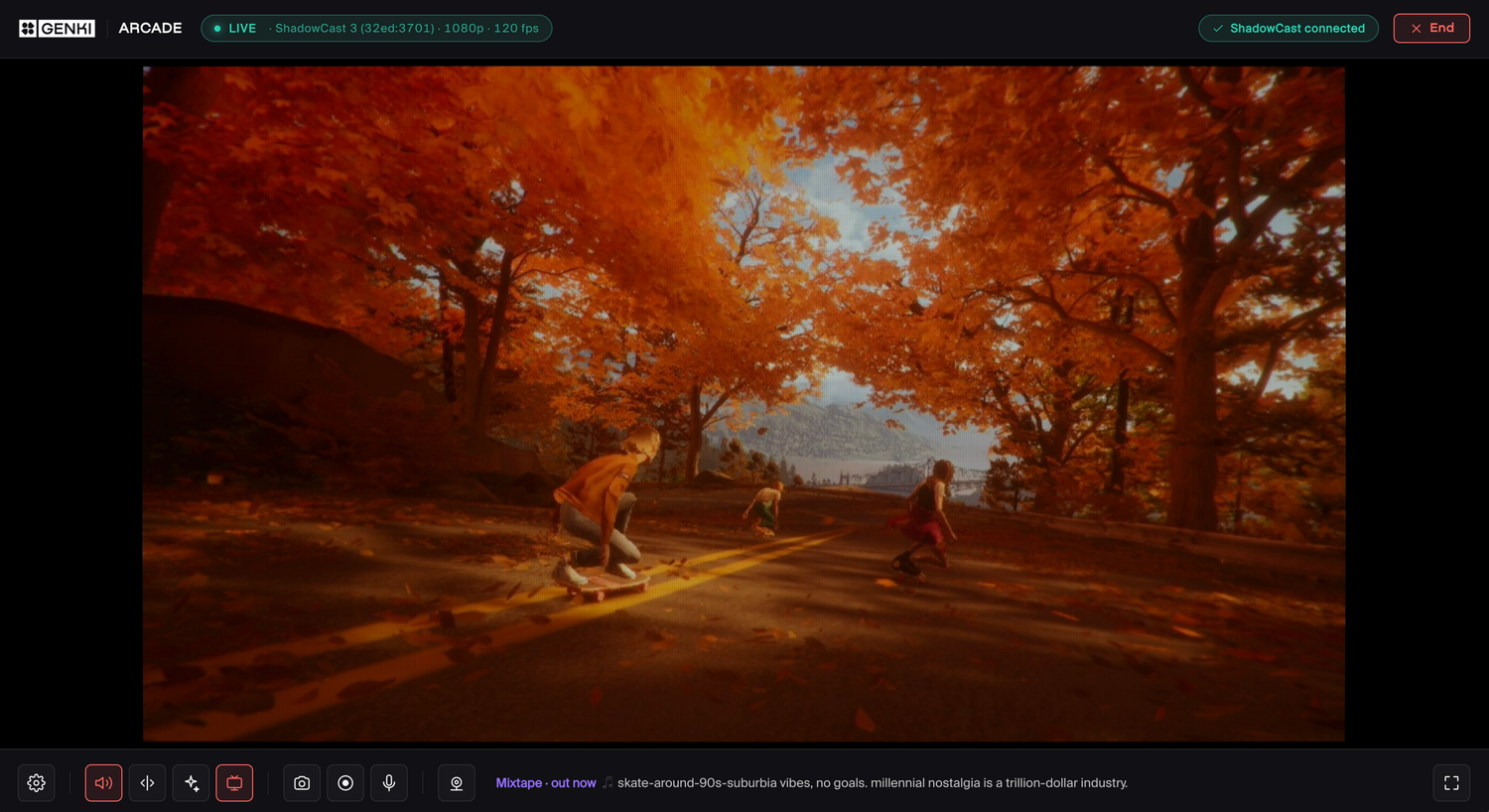
A Beginner’s Guide to Game Streaming and Capture Terms
If you’ve spent any time looking into game streaming, capture cards, or content creation setups, you’ve probably run into a wall of confusing technical terms.
4K60. 120Hz. Bitrate. Latency. Passthrough. HDR.
A lot of gaming tech starts sounding like alphabet soup pretty quickly, especially when you’re just trying to figure out how to play your games on a laptop screen or capture gameplay for Twitch or YouTube.
The good news? Most of these terms are way less complicated than they sound.
Whether you’re researching your first capture setup or checking out devices like ShadowCast 3 Pro, here’s a simple breakdown of the streaming and capture terminology you’ll see most often, and what it actually means in real-world gaming.
What does 4K60 mean?
“4K60” is shorthand for two different things combined:
- 4K = resolution
- 60 = frames per second
The “4K” part refers to image resolution, or how detailed the picture is. The “K” literally stands for “thousand,” referencing the image’s horizontal pixel count of roughly 4,000 pixels across.
More pixels generally means a sharper, cleaner image with more visible detail.
The “60” refers to frame rate, meaning the game or video is displaying 60 frames every second. Higher frame rates usually look smoother in motion, especially during fast gameplay.
So when you see “4K60,” it simply means:
“This device can display or capture gameplay in 4K resolution at 60 frames per second.”
For most players, 60FPS is considered the sweet spot between smooth performance and visual quality.
What’s the difference between 60Hz and 120Hz?
Refresh rate and frame rate are closely related, but they aren’t exactly the same thing. Hz (Hertz) is simply a measurement for how many times something updates per second.

A display’s refresh rate, measured in Hz (Hertz), refers to how many times the screen updates every second.
- 60Hz = the screen refreshes 60 times per second
- 120Hz = the screen refreshes 120 times per second
Higher refresh rates can make gameplay feel smoother and more responsive, especially in fast-moving games.
If your game is running at high frame rates and your display supports 120Hz, movement can appear noticeably cleaner and more fluid compared to 60Hz.
That said, not every game actually runs at 120FPS, and not every setup needs it. For many players, 60Hz still delivers a great experience.
What is latency?
Latency is one of the most important concepts in game streaming and capture. In simple terms, latency is delay. More specifically, it’s the amount of time between:
- pressing a button
- and seeing the action happen on screen
High latency can make games feel sluggish or delayed. Low latency feels responsive and immediate.

This matters a lot when using capture devices or streaming gameplay to another screen. If there’s too much delay between your console and what you’re seeing on your laptop or monitor, games can become frustrating to play.
That’s why low-latency capture solutions are such a big deal for handhelds and modern consoles.
What does 1080p mean?
1080p is another display resolution, just like 4K.
The “1080” refers to the number of vertical pixels in the image. The "p" stands for progressive scan, which is a more modern way of drawing the image smoothly frame-by-frame.
You’ll sometimes also see older formats labeled with an “i,” like 1080i, where the “i” stands for interlaced. Thankfully, most modern gaming displays have moved beyond that.
Here’s a quick breakdown of common gaming resolutions:
- 720p = lower detail
- 1080p = Full HD
- 1440p = sharper than 1080p
- 4K = ultra high detail
 For many gamers and streamers, 1080p is still the sweet spot because it balances image quality, performance, streaming bandwidth, and file size really well.
So what exactly is a capture card?
 Genki ShadowCast 3 Pro
A capture card is a device that lets your computer receive video from another device, like:
- Switch 2
- PS5
- XBOX
- Steam Deck
- DSLR camera
This is what allows you to:
- stream gameplay on platforms like Twitch
- record gameplay footage
- use your laptop as a display
- create gaming content
Traditional capture cards can sometimes feel complicated, requiring extra setup, multiple cables, or dedicated software before you’re ready to play or stream.
Devices like ShadowCast 3 Pro simplify the process by letting you plug your console directly into your laptop or PC and start playing or capturing through apps like Genki Arcade or Camo Studio, or even directly through your browser with the Genki Arcade web app.
What is passthrough?
Passthrough is a feature commonly found on capture devices.
- It means the gameplay signal can continue directly to a TV or monitor while simultaneously being captured on your computer.
- In practice, this lets you play your game normally on a big screen while your PC handles the recording or stream in the background.
This is especially useful for creators who want to play on a big screen while recording or streaming gameplay without introducing additional delay.
What is bitrate?
Bitrate affects video quality.
A higher bitrate generally means:
- sharper video
- cleaner image quality
- fewer compression artifacts
But it also means:
- larger file sizes
- more internet bandwidth required for streaming
If bitrate is too low, gameplay footage can start looking blurry or blocky, especially during fast movement.

Finding the right balance is important for Twitch streams, YouTube uploads, and gameplay recording.
What is HDR?
HDR stands for High Dynamic Range.
In plain English, HDR helps games display:
- brighter highlights
- deeper shadows
- more realistic contrast
- richer colors
Games with HDR support can look much more vibrant and lifelike on compatible displays.
It’s less about “more color” and more about improving the overall range and depth of the image. HDR content also requires compatible hardware and displays to fully take advantage of it.
What is VRR?
VRR stands for Variable Refresh Rate.
This technology helps displays synchronize with a game’s frame rate in real time, reducing:
- screen tearing
- stuttering
- uneven motion
VRR can make gameplay feel smoother, especially when frame rates fluctuate during demanding scenes.
Modern handhelds, monitors, and TVs increasingly support VRR as gaming hardware becomes more advanced.
You don’t need to memorize all of this
Gaming and streaming tech can sound intimidating at first, but most of these concepts are simply describing:
- image quality
- smoothness
- responsiveness
- video performance
Once you understand the basics, terms like 4K60 or latency start making a lot more sense.
And thankfully, modern devices are getting much easier to use. You no longer need a complicated setup just to capture gameplay or play your console through a laptop screen.
If you’re looking for a simple way to get started, ShadowCast 3 Pro was designed to make game capture and streaming feel approachable, whether you’re casually playing handhelds or building your first content setup.


Leave a comment
All comments are moderated before being published.
This site is protected by hCaptcha and the hCaptcha Privacy Policy and Terms of Service apply.